

BYOD Video Conferencing System on Rent
Make Business Meetings Easier with Flexible Video Conferencing Solutions Business meetings are no longer limited to people sitting in the same room. Teams connect with clients, colleagues and business partners across different locations through video conferencing. A suitable meeting room setup makes these conversations easier to manage and helps participants communicate effectively.
A BYOD (Bring Your Own Device) Video Conferencing System allows meeting participants to use their own laptops or compatible devices to connect with the room’s audio-visual equipment. This approach offers flexibility for business meetings, presentations, online discussions and hybrid conferences.
Majestic Audio Visuals offers BYOD video conferencing systems on rent for corporate offices, boardrooms, conference rooms, training sessions and business events. Whether you are organising an important client meeting or a multi-location conference, we can help you plan an AV arrangement suited to your meeting requirements.
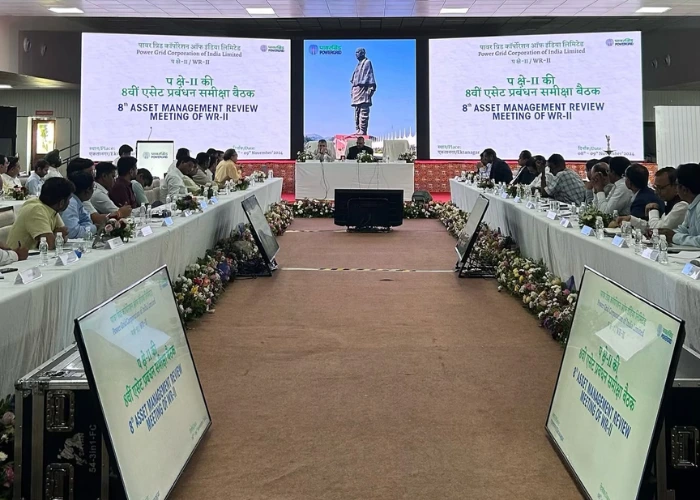
What Is a BYOD Video Conferencing System?
Where Can BYOD Video Conferencing Systems Be Used?
A BYOD conferencing arrangement can support different business and professional environments.
Corporate Meetings: Make internal meetings and business discussions easier to organise with a suitable video conferencing setup. Employees can connect their devices to compatible room equipment for presentations and virtual discussions.
Boardroom Video Conferencing: Boardroom meetings often involve senior management, clients and participants joining from different locations. A BYOD video conferencing system can support presentations, discussions and remote participation through an appropriate AV arrangement.
Hybrid Meetings: Hybrid meetings bring together people attending in person and participants joining remotely. Suitable cameras, microphones, speakers and display equipment help support communication between both groups.
Business Presentations: Presenting reports, proposals, project updates and business information becomes more convenient when participants can connect their own devices to compatible meeting room displays and conferencing equipment.
Training Sessions & Workshops: Training programmes and workshops may involve presentations, demonstrations and interaction with remote participants. A suitable BYOD conferencing setup can support these activities.
Client Meetings & Virtual Discussions: When businesses connect with clients, suppliers or partners located in different cities or countries, video conferencing helps maintain direct communication. BYOD solutions offer a flexible way to arrange these meetings.
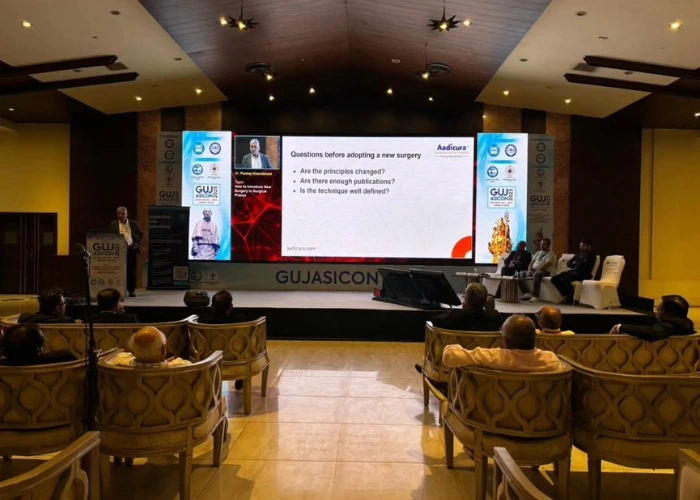
Benefits of Renting a BYOD Video Conferencing System
A BYOD setup can make meeting arrangements more adaptable, particularly when different participants use different devices or conferencing applications.
Flexible Device Connectivity: Participants can use their own compatible laptops or devices to join meetings and presentations through the available conferencing setup.
Convenient Meeting Arrangements: A suitable BYOD configuration can simplify the process of connecting devices to meeting room displays, cameras and audio equipment.
Support for Hybrid Meetings: Combine in-room participation with remote attendees through compatible video conferencing equipment.
Suitable for Different Meeting Spaces: BYOD conferencing arrangements can be planned for boardrooms, conference halls, training rooms and temporary business event venues.
Flexible Rental Options: Renting a video conferencing system is a practical option for businesses organising temporary meetings, conferences, training programmes or special corporate events.
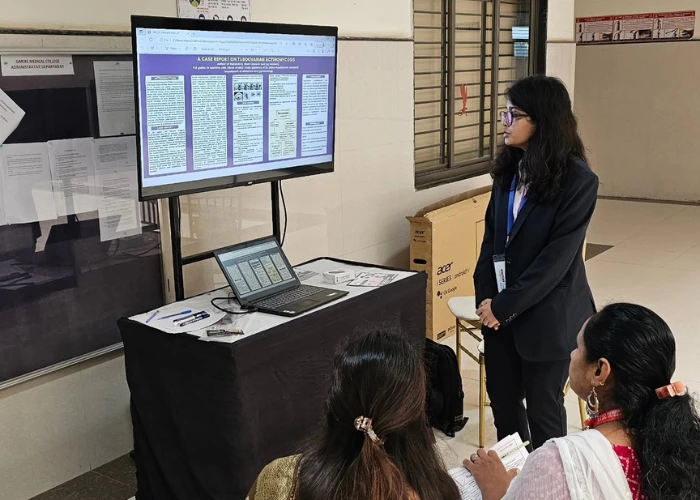
Why Choose Majestic AV for BYOD Video Conferencing System Rental?
A successful video conference requires more than a camera and a display. Clear audio, suitable camera positioning, device connectivity and an organised room setup all contribute to a better meeting experience. Majestic Audio Visuals brings experience in audio-visual solutions dating back to 1970. We provide AV equipment solutions for corporate meetings, conferences, presentations and live communication requirements. With Majestic AV, you can discuss:
 BYOD Video Conferencing System Rental
- Camera and Microphone Arrangements
- Conference Room Display Requirements
- Audio Connectivity and Speaker Arrangements
- Equipment Compatibility and Connection Options
- AV Setup Requirements for Corporate Meetings and Events
 BYOD Video Conferencing System Rental
 Camera and Microphone Arrangements
 Conference Room Display Requirements
 Audio Connectivity and Speaker Arrangements
 Equipment Compatibility and Connection Options
 AV Setup Requirements for Corporate Meetings and Events
Our team can help you identify a suitable arrangement based on your venue, number of participants and meeting format.
BYOD Video Conferencing System on Rent for Your Next Meeting
Organising a corporate meeting, boardroom discussion, training session or hybrid conference? Make your meeting arrangements more convenient with a suitable BYOD video conferencing setup.
Majestic Audio Visuals offers BYOD video conferencing systems on rent for business and event requirements. Tell us about your meeting space, devices and conferencing needs so our team can discuss the appropriate audio-visual arrangement.
Frequently Asked Question
BYOD stands for Bring Your Own Device. It allows participants to use their own compatible laptops or devices to connect with meeting room audio-visual equipment for video conferences and presentations.
A typical setup may include a camera, microphones, speakers, display screen and compatible connectivity equipment. The actual requirements depend on the room configuration and conferencing platform.
Yes. BYOD video conferencing systems can be rented for corporate meetings, boardroom discussions, business presentations, training sessions and conferences.
Yes. A suitable BYOD configuration can support hybrid meetings where some participants are present in the room while others join remotely. Camera, microphone, speaker and platform compatibility should be considered.
Yes, provided the laptop and conferencing equipment support compatible connection methods. The required cables, interfaces and software compatibility should be confirmed before the meeting.
Send Us an Enquiry
Fill in the details below and we’ll be in touch.
 Your information is secure with us.
